Turn a pile of receipts into clean records
Kiroku reads the vendor, dates, and totals off every invoice and receipt, then hands you a CSV your accountant can open.
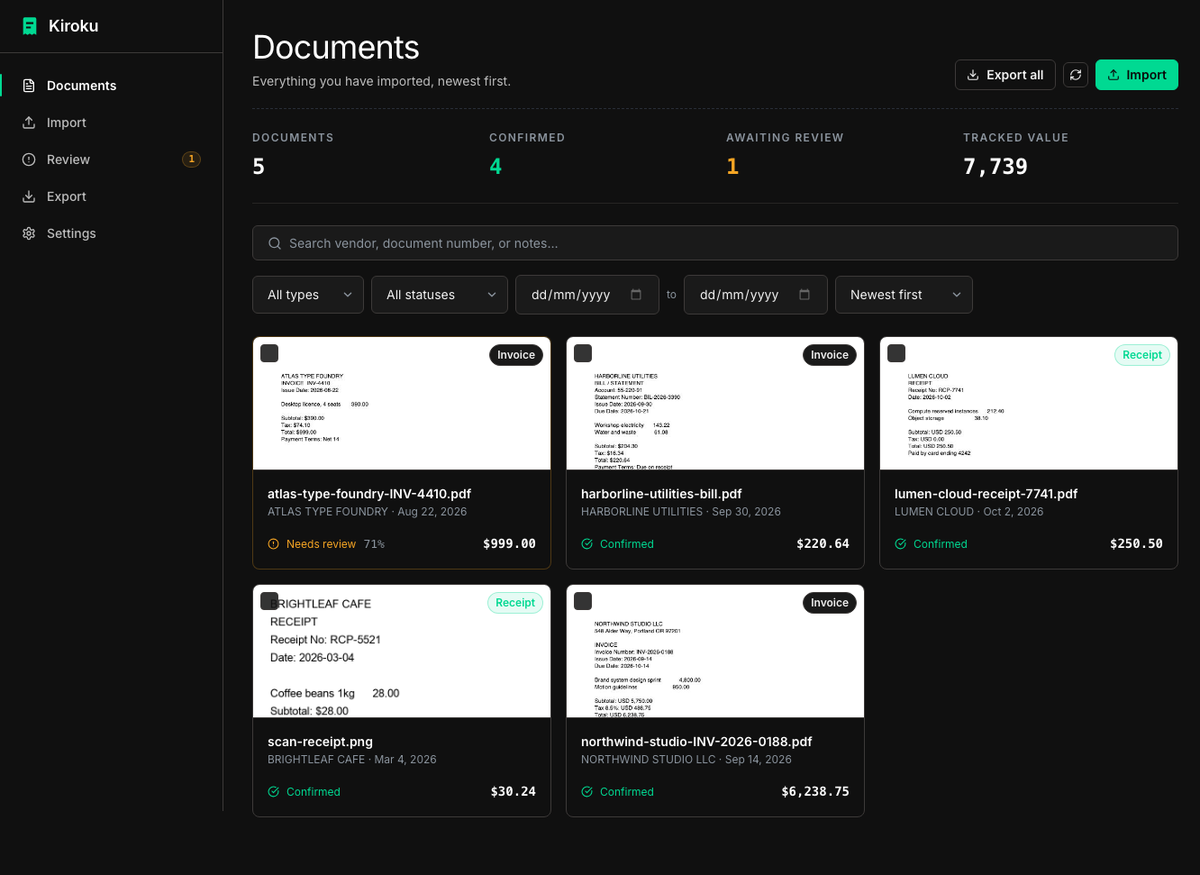
What it does
Reads the document
Reads the text layer of PDFs and runs OCR on scans and phone photos — all in the tab. Extracts vendor, document number, dates, currency, subtotal, tax, and total.
Checks its own work
Every field carries a confidence score. Anything uncertain goes to a review queue instead of your books, and the document view warns when subtotal and tax do not add up to the total.
Catches duplicates
Exact duplicates by file hash, and probable ones by matching vendor, amount, and date within a week — so the same bill does not get filed twice.
Stays searchable
Full-text search across vendors, document numbers, and notes, with filters for type, status, date range, and amount.
Exports clean CSV
A fixed, documented schema in UTF-8 RFC-4180 CSV. Filter by date range, type, or confirmed-only before you download.
Never invents a number
If a value cannot be read, the field stays empty and the document waits for you. Nothing is guessed to make the output look complete.
Run it
Nothing to install — open it and start importing. Your documents are parsed and stored in your browser, so they never reach a server. Because browser storage can be cleared, Settings has a one-file backup and restore. A self-hosted Python backend is in the repository if you would rather keep records in files on disk.
# clone, then:
python3 -m venv venv && source venv/bin/activate
pip install -r backend/requirements.txt

cd frontend && npm install && npm run build && cd ..

python run.py            # opens http://127.0.0.1:8000
Full steps, configuration, and the optional local classifier are in the README.
What it is not
Kiroku is a local tool, not a service. Worth knowing before you rely on it:
- No accounts, no sync, no cloud. Your library lives in one browser on one device.
- Nothing is encrypted at rest. Browser storage is readable by anyone with your OS account — turn on full-disk encryption if the machine is shared.
- Browser storage can be cleared. "Clear site data" erases your library, so download a backup from Settings.
- Extraction is not perfect. That is what the review queue is for; confirm before you export.